
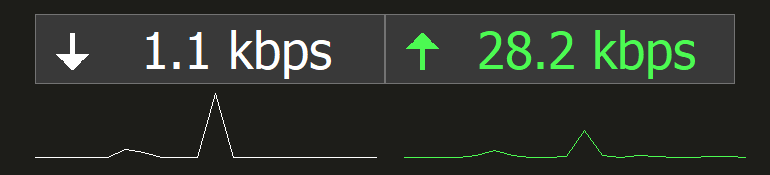
For years I used the app DU Meter – A lightweight network monitoring app for Windows. It was especially useful when I had slow internet, allowing me to quickly identify if my computer was using all the available bandwidth.
A downside of DU meter is that it’s expensive, and a purchase only covers the next couple of versions, meaning you need to upgrade your license if you wish to keep using the latest version.
I decided that building my own app would be a fun challenge. To keep it as lightweight as possible, I created a native Win32 app. A slightly cleaned up version of the first iteration I made can be seen here.
My aim was to support many of the same features as DU meter (And some new ones), with the current version of the app having support for:
- Displaying real-time network usage
- Hover-overview of individual processes using network resources
- Custom themes
- Background reporting and alerts, including email notifications
- Graph visualisation
- Ghost/Click-through mode
- “Quick-switch” monitor selector
- Full DPI awareness (Per monitor v2)
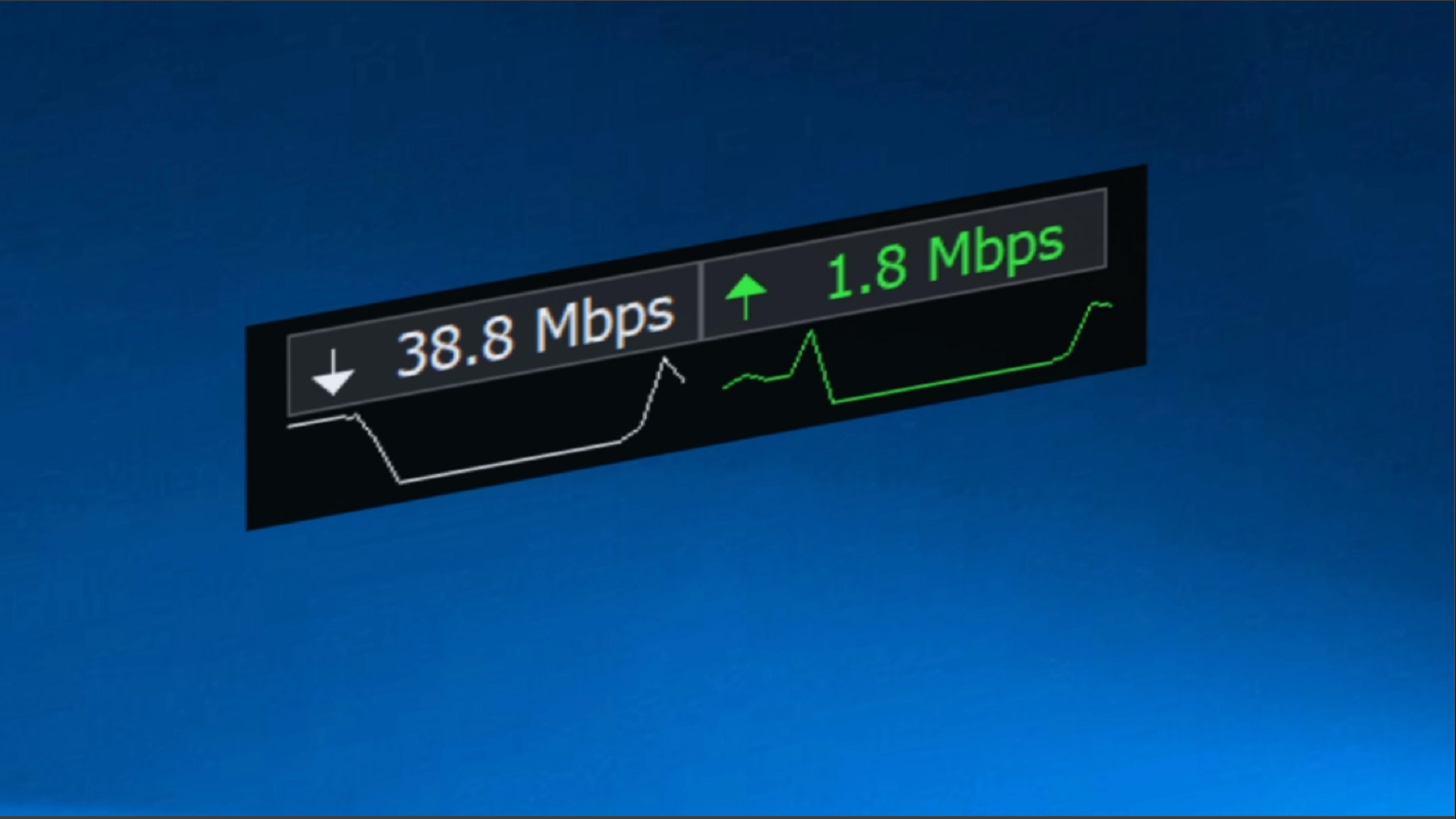
Features and Challenges
Making a Win32 app in 2026 is not for the faint of heart, and it certainly led to its fair share of challenges. The UI code alone is over 5000 lines of C++. As a user of high-resolution displays, it was important to me that the app be fully DPI aware. There are multiple DPI awareness modes that Windows apps can report, with the best being Per Monitor v2. To comply with this, an app must dynamically respond to changing DPIs based on a WM_DPICHANGED message.
This means manually re-calculating each element’s scaling according to look correct at the new scale. The typical way this is done is via MulDiv(UNSCALED_SIZE, CURRENT_DPI, USER_DEFAULT_SCREEN_DPI), with USER_DEFAULT_SCREEN_DPI being a Windows constant defined as 96 (The reasons for this date back to old Windows when this was the standard DPI, before high DPI displays were commonplace)
Another challenge was theming all elements of the app. Below is an overview of how the upload/download arrows change colour with the selected theme:

One of my favourite features in the app is the process monitor window:
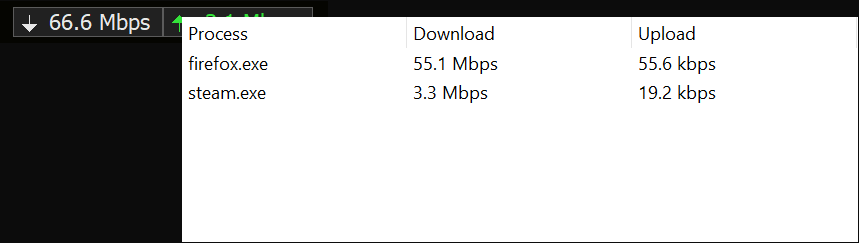
This gives a quick breakdown of processes using the active network adapter in real-time, making it easy to pinpoint and shutdown apps hogging your connection. Windows doesn’t make it easy to get this information. The best way I found is to use the EStats API, which lets you enable EStats on a given process, then request network data about it:
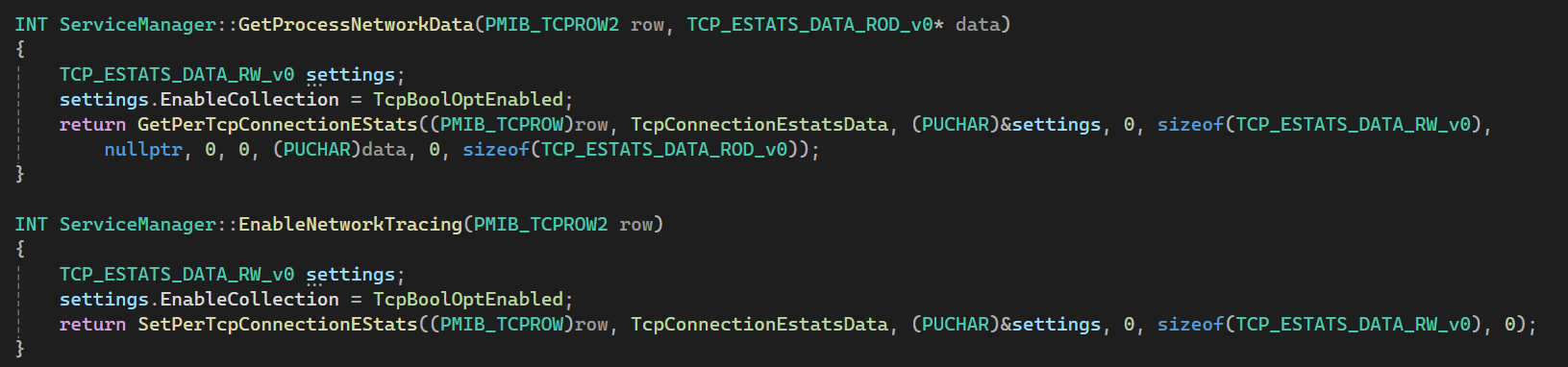
The process list can be acquired via GetTcpTable2. Where apps typically have multiple connections, manual aggregation is required to ensure each connection is attributed to the correct process.
The TCP_ESTATS_DATA_ROD_v0 struct you get out of GetPerTcpConnectionEstats() gives you a lot of information, but the only parts I’m interested in are DataBytesIn and DataBytesOut. These values show the total amount of data that’s gone in/out in Octets. These counters reset periodically, so some logic is required to detect this so we don’t show a huge delta when this happens.
Enabling EStats on a process requires administrator privileges. My initial implementation just had the app elevate itself when the user wished to view the process window, but I wanted a better solution. This led me to move the code into a separate windows service, which then communicates with the app via a Named Pipe. I also moved the background reporting and alerts system to this service, turning the main app into more of a front end. The reporting system uses SQLite for tracking processes over the defined time frame.
Activation and Licensing
After some time developing DownloadMonitor, I decided I would try and sell it. This meant I needed a basic license key and activation system.
My solution involved creating a license key automatically once someone purchases a key, with this license key being based off their email address. The app runs a local check to see if the license key is valid, and if it is, it requests for the server to authorise the activation request. The server also runs the validity check, and checks what key is assigned to the incoming email address. If everything is correct, the server returns an OK message, telling the app to unlock itself and write the activation status to the registry.
I included multiple tamper protections in case a user tries to modify the registry entries, in which case the app will fallback to an un-activated state.
In the real world it’s impossible to prevent every attack, and someone with enough time and patience absolutely could bypass these measures, however I think they function well-enough to deter most users.
To help with distributing the app, I created my own installer program:
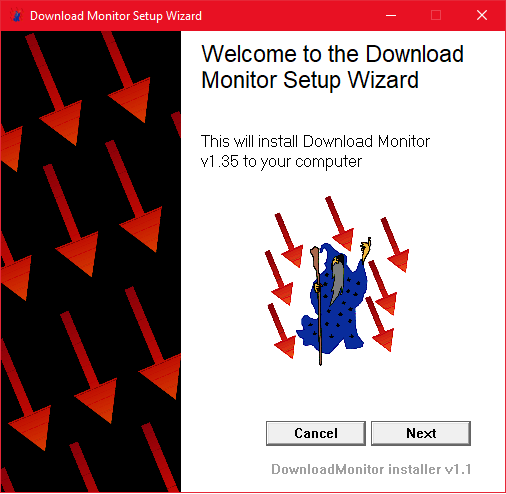
My reason for creating a custom solution instead of opting for a pre-existing installer, such as Inno Setup, is that I wanted to retain support for non-elevated installs, while optionally allowing elevation if the user wants to install the service. This means people who don’t have administrator privileges can still use the app, albeit in a limited capacity:
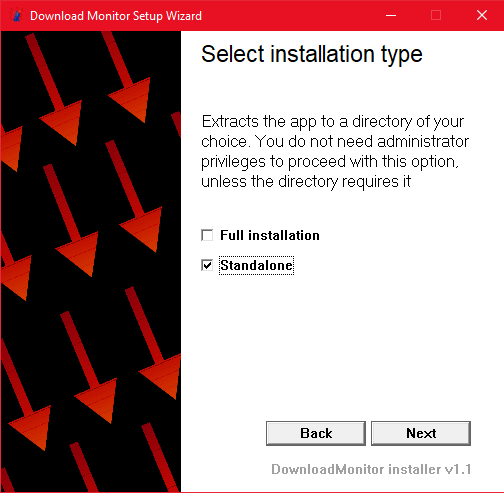
Closing Thoughts
Creating DownloadMonitor has been a great learning experience, and the current version is something I genuinely use every day and have come to rely on. If you want to check out the official DownloadMonitor website, see here.
Leave a Reply